Local AI hardware
AI PCs — NPU laptops vs GPU desktops vs Mac
Honest trade-offs between Copilot+ NPUs, discrete-GPU towers, and Apple silicon for local open-weight models — with links to GPUs, Macs, and cloud inference.
GPU catalogCloud GPU inferenceMac buying guideOpen-weight models
The planning rule
Pick the largest model you need to run locally, then buy the memory architecture that can hold it — NPU marketing comes after that.
No invented benchmark league tables. Capacity guidance follows the same VRAM/unified-memory arithmetic as the GPU and Mac catalogs. Amazon links are product-class searches, not fixed listings.
As an Amazon Associate I earn from qualifying purchases. Amazon UK links may earn us a commission; this does not change the products we include. Affiliate disclosure.
Form factors
Four AI PC paths — and what each is actually for
NPU TOPS and GPU TFLOPS are not interchangeable scores. Memory capacity is the first filter.
| Form factor | Compute | Memory | Local AI | Gaming | Portability | Search |
|---|---|---|---|---|---|---|
![]() | CPU + integrated graphics + dedicated NPU (vendor-quoted TOPS) | Shared system RAM — often 16–32GB fixed at purchase | Strong for background AI features, transcription, and small on-device models; weak for large open-weight LLMs | Light esports and older titles — not a discrete-GPU replacement | High — battery-powered daily driver | Search Amazon UK(paid link) (opens in new tab) |
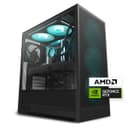
![]() | Dedicated GPU VRAM + CPU — CUDA/ROCm/oneAPI depending on card | Separate system RAM and GPU VRAM — VRAM is the local-AI ceiling | Best path for open-weight models when VRAM fits the quantisation — scales with card tier | Full gaming PC — the GPU does double duty | None — tower or SFF on a desk | Search Amazon UK(paid link) (opens in new tab) |
| Unified memory shared by CPU, GPU, and Neural Engine | Fixed unified pool — 24GB minimum for serious local LLM use | Excellent memory-per-pound for medium models; bandwidth-limited vs top discrete GPUs at equal spend | Moderate — macOS library and port quality vary by title | High on MacBook; Mac mini / Studio are desk-bound | Search Amazon UK(paid link) (opens in new tab) | |
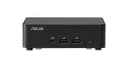
![]() | Mobile or compact discrete GPU in a small chassis | Often soldered RAM with limited GPU VRAM — read the spec sheet carefully | Useful middle ground when desk space is tight but NPU laptops are too limited | Varies widely — many compact boxes use laptop-class GPUs | Low — small desk footprint, not a laptop | Search Amazon UK(paid link) (opens in new tab) |
Comparison notes last reviewed August 10, 2026. Figures describe product classes, not benchmark winners.
NPU vs GPU — different jobs
Copilot+ NPUs accelerate vendor-defined on-device tasks — live captions, background blur, small bundled models. They do not replace a 12GB+ VRAM GPU for loading a 32B open-weight checkpoint. Comparing NPU TOPS to GPU TFLOPS is marketing arithmetic, not a planning metric.
When cloud inference is the honest answer
If the target model needs more memory than any machine you are willing to buy, renting a cloud GPU or using an API is cheaper than overspending on hardware you will still outgrow. The GPU inference catalog compares providers without pretending local always wins.
Software stack matters as much as silicon
The same weights run differently on llama.cpp, Ollama, vLLM, MLX, and vendor tools. A Mac with MLX can feel faster than a higher-TFLOPS card with a mismatched backend. Start from the model catalog, then pick hardware that fits the runtime you will actually use.
Best for
Who each path suits
Match the hardware class to the workload — NPU laptops, discrete GPUs, and Macs solve different jobs.
Copilot+ / NPU laptop
- · Windows laptops with Copilot+ features
- · Meetings, notes, and lightweight on-device AI
- · Buyers who will rent cloud inference for big models
Discrete-GPU desktop
- · Running 7B–70B open models locally (VRAM permitting)
- · Gamers who also want local inference
- · Upgradeable buyers who can swap GPUs later
Apple Silicon Mac
- · Developers already on macOS
- · Unified-memory workloads up to practical ~48–64B quantised ceilings
- · Quiet desk inference without building a tower
Compact GPU workstation / mini PC
- · Homelab and inference beside the main desk
- · Buyers who cannot host a full tower
- · Secondary inference node while a laptop is the daily driver
Common questions
AI PC buying questions
Answered from the verified figures on this page rather than general guidance.
Is a Copilot+ PC enough to run local LLMs?
For small bundled models and Windows AI features, often yes. For the open-weight models in our catalog at useful quantisations, usually no — system RAM and the lack of large dedicated VRAM cap practical model size well below what a discrete-GPU desktop or high-memory Mac can hold.
Mac or PC for local AI in 2026?
Mac wins on unified memory per pound and quiet desk operation when the model fits in RAM. PC wins on raw GPU choice, upgradeability, and gaming. Neither wins every workload — decide on model size first, then ecosystem second.
How much RAM or VRAM do I need?
Use the GPU catalog rule of thumb: parameters × bits ÷ 8 plus headroom. A 32B model at Q4 needs on the order of 20GB+ of usable memory. That is why 16GB laptops — NPU or not — are planning dead-ends for serious open-weight work.
Should I build a PC or buy prebuilt for AI?
Building lets you pick the GPU tier deliberately. Prebuilts often pair a mid GPU with flashy RAM marketing — verify the exact card model and PSU, then compare to the DIY parts lists. The prebuilt guide covers what to check without inventing SKUs.
Keep exploring
Go deeper on the stack
VRAM fit, unified memory, and rental inference each answer a different constraint.