
Graphics cards
Which GPU fits the work you actually do?
Start with gaming, creative, or workstation needs. Memory planning for local models is included below when that is part of the purchase — it is not the only reason to open this page.
Specifications verified .
Run the GPU finderModel fit calculatorPC buildsMac buying guideShortlist by gaming, creative, budget, platform — and local models when relevant
The rule everything below follows
Match the GPU to your monitor and workload, not a benchmark chart
For gaming, size VRAM to your resolution, refresh target, and texture mods. For creative work, memory and driver stability usually matter more than the headline TFLOPS figure. For local models, memory capacity is the gate — but that is an optional planning path below, not the default reason most people buy a graphics card.
Gaming
Resolution, refresh, and VRAM
1080p high-refresh esports can live on 8GB; 1440p is the sweet spot for 12–16GB cards; 4K and heavy ray tracing push you toward 16GB+ and faster bandwidth. Match the card to the monitor you already own — or plan to buy — and verify dated game tests rather than spec sheets alone.
Creative work
Timelines, 3D, and exports
Video timelines, 3D scenes, and large photo libraries eat VRAM before they eat compute. Consumer GeForce and Radeon cards cover most desks; workstation RTX PRO Blackwell and Radeon AI PRO lines matter when driver certification and multi-display stability are part of the job.
Workstation and local AI
Optional — only when inference is the job
Skip this card if you only play or edit. When local models are the workload, buy memory first and bandwidth second — the optional tables below size models by parameter count so the answer transfers to any checkpoint at that scale.
Head to head
GPU comparisons
Curated high-intent pairings — same-vendor tier steps, generational upgrades, and the cross-vendor rivals people actually cross-shop for gaming and creative builds.


GeForce RTX 5080 vs GeForce RTX 5090

GeForce RTX 5070 Ti vs GeForce RTX 5080

GeForce RTX 5070 vs GeForce RTX 5070 Ti
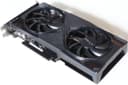
GeForce RTX 5060 Ti 16GB vs GeForce RTX 5070
GeForce RTX 5060 Ti 16GB vs GeForce RTX 5060 Ti 8GB
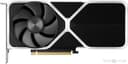
GeForce RTX 5060 vs GeForce RTX 5060 Ti 16GB

GeForce RTX 5050 vs GeForce RTX 5060
GeForce RTX 5060 vs GeForce RTX 5070 Ti
GeForce RTX 4090 vs GeForce RTX 5090
GeForce RTX 4090 vs GeForce RTX 5080

GeForce RTX 3090 vs GeForce RTX 4090

GeForce RTX 4060 Ti 16GB vs GeForce RTX 5060
GeForce RTX 4060 Ti 16GB vs GeForce RTX 5060 Ti 16GB
GeForce RTX 4060 Ti 16GB vs GeForce RTX 5080
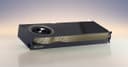
GeForce RTX 5080 vs RTX 6000 Ada
GeForce RTX 5090 vs RTX 6000 Ada

RTX 6000 Ada vs RTX PRO 6000 Blackwell
GeForce RTX 5090 vs RTX PRO 6000 Blackwell
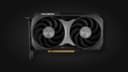
Radeon RX 9060 XT 16GB vs Radeon RX 9060 XT 8GB
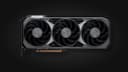
Radeon RX 9060 XT 16GB vs Radeon RX 9070
Radeon RX 9070 vs Radeon RX 9070 GRE
Radeon RX 9070 GRE vs Radeon RX 9070 XT
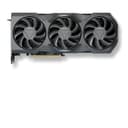
Radeon RX 7900 XTX vs Radeon RX 9070 XT
Radeon RX 9060 XT 16GB vs GeForce RTX 5060
Radeon RX 9060 XT 8GB vs GeForce RTX 5050
Radeon RX 9060 XT 16GB vs GeForce RTX 5060 Ti 16GB
Radeon RX 9060 XT 16GB vs GeForce RTX 4060 Ti 16GB
Radeon RX 9070 XT vs GeForce RTX 5070
Radeon RX 9070 vs GeForce RTX 5070
Radeon RX 9070 XT vs GeForce RTX 5070 Ti
Radeon RX 9070 XT vs GeForce RTX 5080
Radeon RX 9070 XT vs GeForce RTX 5090
Radeon RX 7900 XTX vs GeForce RTX 4090
Radeon RX 7900 XTX vs GeForce RTX 3090

Apple M4 Max (64GB) vs Apple M4 Pro (24GB)
Apple M4 Max (64GB) vs GeForce RTX 4090
Apple M4 Max (64GB) vs GeForce RTX 5090

Intel Arc Pro B70 vs Radeon AI PRO R9700

RTX PRO 5000 Blackwell (72GB) vs RTX PRO 6000 Blackwell
Optional · local models
How much memory each model size needs
Use this only when local inference is part of the purchase. Lower bit depth shrinks the model and costs some quality. Q4 is the usual floor for general use.
Scroll the table sideways to see every column.
| Model size | FP16 (full) | Q8 (Q8_0) | Q5 (Q5_K_M) | Q4 (Q4_K_M) | Needs at Q4 |
|---|---|---|---|---|---|
| 4B | 10GB | 6GB | 4GB | 4GB | Laptop |
| 8B | 19GB | 10GB | 7GB | 6GB | Laptop |
| 14B | 32GB | 17GB | 12GB | 10GB | Desktop GPU |
| 27B | 60GB | 33GB | 21GB | 19GB | Desktop GPU |
| 32B | 71GB | 38GB | 25GB | 22GB | Desktop GPU |
| 70B | 155GB | 83GB | 54GB | 48GB | Workstation |
| 120B | 265GB | 141GB | 92GB | 81GB | Workstation |
| 235B | 518GB | 276GB | 179GB | 158GB | Multi-GPU |
| 480B | 1057GB | 562GB | 364GB | 321GB | Server |
| 671B | 1477GB | 785GB | 508GB | 448GB | Server |
Weights use real GGUF file sizes (Q4_K_M ≈ 4.85 bits per weight, Q5_K_M ≈ 5.5, Q8_0 ≈ 8.5), plus ~10% for the KV cache at a modest (~8K-token) context and ~1GB of runtime buffers. Mixture-of-experts models are sized by their total parameters, not active ones — a 235B model with 22B active still needs all 235B resident. Long context windows push these figures higher.
Optional · compatibility
What each card holds at Q4
Columns are model sizes for local inference planning — skip this table if gaming or creative work is the purchase. A row tells you what a card can run regardless of which checkpoint you pick at that scale.
Amazon UK search links are provided for current availability; no affiliate programme is currently configured, and no live price is claimed here. Affiliate disclosure.
Scroll the table sideways to see every column.
| GPU | Usable | 4B | 8B | 14B | 27B | 32B | 70B | 120B | Launch MSRP | Price |
|---|---|---|---|---|---|---|---|---|---|---|
 | 384GB | Est. fit | Est. fit | Est. fit | Est. fit | Est. fit | Est. fit | Est. fit | — | Search Amazon UK (opens in new tab) |
 | 144GB | Est. fit | Est. fit | Est. fit | Est. fit | Est. fit | Est. fit | Est. fit | — | Search Amazon UK (opens in new tab) |
| 96GB | Est. fit | Est. fit | Est. fit | Est. fit | Est. fit | Est. fit | Est. tight | — | Search Amazon UK (opens in new tab) |
 | 96GB | Est. fit | Est. fit | Est. fit | Est. fit | Est. fit | Est. fit | Est. tight | — | Search Amazon UK (opens in new tab) |
 | 84GB | Est. fit | Est. fit | Est. fit | Est. fit | Est. fit | Est. fit | Est. tight | — | Search Amazon UK (opens in new tab) |
| 72GB | Est. fit | Est. fit | Est. fit | Est. fit | Est. fit | Est. fit | Est. no fit | — | Search Amazon UK (opens in new tab) |
| 48GB | Est. fit | Est. fit | Est. fit | Est. fit | Est. fit | Est. tight | Est. no fit | — | Search Amazon UK (opens in new tab) |
| 48GB | Est. fit | Est. fit | Est. fit | Est. fit | Est. fit | Est. tight | Est. no fit | — | Search Amazon UK (opens in new tab) |
| 32GB | Est. fit | Est. fit | Est. fit | Est. fit | Est. fit | Est. no fit | Est. no fit | ~$1,999~£1,481 | Search Amazon UK (opens in new tab) |
Intel Arc Pro B70Intel | 32GB | Est. fit | Est. fit | Est. fit | Est. fit | Est. fit | Est. no fit | Est. no fit | ~$949~£703 | Search Amazon UK (opens in new tab) |
| 32GB | Est. fit | Est. fit | Est. fit | Est. fit | Est. fit | Est. no fit | Est. no fit | — | Search Amazon UK (opens in new tab) |
Intel Arc Pro B65Intel | 32GB | Est. fit | Est. fit | Est. fit | Est. fit | Est. fit | Est. no fit | Est. no fit | — | Search Amazon UK (opens in new tab) |
| 24GB | Est. fit | Est. fit | Est. fit | Est. fit | Est. tight | Est. no fit | Est. no fit | ~$1,599~£1,184 | Search Amazon UK (opens in new tab) |
| 24GB | Est. fit | Est. fit | Est. fit | Est. fit | Est. tight | Est. no fit | Est. no fit | ~$1,499~£1,110 | Search Amazon UK (opens in new tab) |
| 24GB | Est. fit | Est. fit | Est. fit | Est. fit | Est. tight | Est. no fit | Est. no fit | ~$999~£740 | Search Amazon UK (opens in new tab) |
| 18GB | Est. fit | Est. fit | Est. fit | Est. no fit | Est. no fit | Est. no fit | Est. no fit | — | Search Amazon UK (opens in new tab) |
| 16GB | Est. fit | Est. fit | Est. fit | Est. no fit | Est. no fit | Est. no fit | Est. no fit | ~$999~£740 | Search Amazon UK (opens in new tab) |
| 16GB | Est. fit | Est. fit | Est. fit | Est. no fit | Est. no fit | Est. no fit | Est. no fit | ~$749~£555 | Search Amazon UK (opens in new tab) |
| 16GB | Est. fit | Est. fit | Est. fit | Est. no fit | Est. no fit | Est. no fit | Est. no fit | ~$429~£318 | Search Amazon UK (opens in new tab) |
| 16GB | Est. fit | Est. fit | Est. fit | Est. no fit | Est. no fit | Est. no fit | Est. no fit | ~$499~£370 | Search Amazon UK (opens in new tab) |
| 16GB | Est. fit | Est. fit | Est. fit | Est. no fit | Est. no fit | Est. no fit | Est. no fit | ~$599~£444 | Search Amazon UK (opens in new tab) |
| 16GB | Est. fit | Est. fit | Est. fit | Est. no fit | Est. no fit | Est. no fit | Est. no fit | ~$549~£407 | Search Amazon UK (opens in new tab) |
| 16GB | Est. fit | Est. fit | Est. fit | Est. no fit | Est. no fit | Est. no fit | Est. no fit | ~$349~£259 | Search Amazon UK (opens in new tab) |
| 12GB | Est. fit | Est. fit | Est. tight | Est. no fit | Est. no fit | Est. no fit | Est. no fit | ~$549~£407 | Search Amazon UK (opens in new tab) |
| 12GB | Est. fit | Est. fit | Est. tight | Est. no fit | Est. no fit | Est. no fit | Est. no fit | ~$549~£407 | Search Amazon UK (opens in new tab) |
Intel Arc B580Intel | 12GB | Est. fit | Est. fit | Est. tight | Est. no fit | Est. no fit | Est. no fit | Est. no fit | ~$249~£184 | Search Amazon UK (opens in new tab) |
Intel Arc B570Intel | 10GB | Est. fit | Est. fit | Est. no fit | Est. no fit | Est. no fit | Est. no fit | Est. no fit | ~$219~£162 | Search Amazon UK (opens in new tab) |
| 8GB | Est. fit | Est. fit | Est. no fit | Est. no fit | Est. no fit | Est. no fit | Est. no fit | ~$299~£221 | Search Amazon UK (opens in new tab) |
| 8GB | Est. fit | Est. fit | Est. no fit | Est. no fit | Est. no fit | Est. no fit | Est. no fit | ~$249~£184 | Search Amazon UK (opens in new tab) |
| 8GB | Est. fit | Est. fit | Est. no fit | Est. no fit | Est. no fit | Est. no fit | Est. no fit | ~$379~£281 | Search Amazon UK (opens in new tab) |
| 8GB | Est. fit | Est. fit | Est. no fit | Est. no fit | Est. no fit | Est. no fit | Est. no fit | ~$299~£221 | Search Amazon UK (opens in new tab) |
Fit labels are planning estimates (weights plus a 20% runtime overhead allowance) — not tested-runtime guarantees: KV-cache format, context length, concurrent sequences, quantisation overhead and runtime choice all change real memory needs, and fitting the weights says nothing about speed. “Tight” means the weights fit but little memory remains for context — the model loads, then fails partway through a long prompt, which is worse than not fitting because the failure is intermittent. Models that still fit on the largest single card here (96GB) are a workstation path; larger models need multi-GPU or cloud. Launch MSRPs are the manufacturers' own US figures, not today's price: in September 2026 the memory shortage pushed street prices 1.2×–3× above MSRP, especially on high-VRAM cards — the comparison pages list a dated lowest UK/US price for each card where we have one. The GBP figure is an indicative conversion; Apple silicon, Strix Halo and some workstation cards have no standalone MSRP. Specifications verified October 2, 2026.
Optional · what to run
Example open models by hardware tier
Grouped by the smallest hardware that holds them at Q4 — only relevant when local inference is part of the purchase.
Laptop
Integrated graphics or 8GB discrete
- Qwen 3 4B4B · 4GB at Q4 · Apache-2.0
Small dense open-weight reference. The publisher lists 4.0B parameters. This site's Q4_K_M planning estimate is about 2.4GB of weights before its allowances; this is not a measured file size. Check the quantized pack, available memory and runtime, including on integrated graphics.
- Llama 3.1 8B Instruct8B · 6GB at Q4 · Llama 3.1 Community License
Earlier 8B text checkpoint for capacity comparisons. Meta's 2024 8B instruct checkpoint uses the Llama 3.1 Community License. Llama 3.2 has 1B/3B text and 11B/90B vision variants, rather than an 8B text successor. The site's Q4_K_M weight estimate is about 4.9GB before its allowances; an estimated 8GB fit still depends on context, runtime and the actual file.
Desktop GPU
One 12-32GB consumer or prosumer card
- Qwen 3.8 27B27B · 19GB at Q4 · Apache-2.0
Dense multimodal 27B reference. Dense 27B with a vision encoder. This site's Q4_K_M estimate is about 16.4GB of weights before its allowances; it exceeds 16GB and suggests checking a 24GB configuration. Actual vision/cache/runtime allocations and quantized files vary. The native checkpoint publication day is unverified.
- Gemma 4 31B30.7B · 21GB at Q4 · Apache-2.0
Dense multimodal open-weight reference. Google's card lists 30.7B total parameters despite the 31B name. This site's Q4_K_M weight estimate is about 18.6GB; Q4_0 and specific downloadable files need separate sizing. The house heuristic marks 24GB tight and 32GB comfortable, which does not guarantee a context length or runtime fit.
- Qwen 3 14B14.8B · 11GB at Q4 · Apache-2.0
Dense model for 12–16GB planning comparisons. The publisher lists 14.8B parameters despite the 14B name. The site's Q4_K_M weight estimate is about 9.0GB and its required-memory estimate about 10.9GB. Its heuristic labels 12GB tight and 16GB comfortable; actual file, cache and runtime memory can change the result.
- Gemma 3 27B27B · 19GB at Q4 · Gemma Terms of Use
27B open-weight fit example. Earlier Gemma open-weight reference under Gemma Terms of Use. Using 27B as the marketed parameter count, the site estimates about 16.4GB of Q4_K_M weights before its allowances, already above 16GB. A 24GB configuration is a planning candidate, not a measured fit or a verified downloadable file size.
- Qwen 3 30B-A3B30.5B (3.3B active) · 21GB at Q4 · Apache-2.0
Mixture-of-experts capacity reference. The publisher lists 30.5B total and 3.3B active parameters. Active count is not the weight-storage requirement: the site's Q4_K_M estimate uses the total and is about 18.5GB before its allowances. Full residency, CPU offload and expert routing depend on the backend; active count alone proves no speed advantage.
- Qwen 3 32B32.8B · 23GB at Q4 · Apache-2.0
Dense model for 24–32GB planning comparisons. The publisher lists 32.8B parameters despite the 32B name. The site's Q4_K_M estimate is about 19.9GB of weights and 22.9GB with its allowances: a 24GB planning candidate, not 16GB. The house heuristic labels 24GB tight and 32GB comfortable; actual context, file and runtime allocations remain unmeasured.
- Muse Glimmer 30B29.6B · 21GB at Q4 · Apache-2.0
Open multimodal agentic distill for 24–32GB class cards. The publisher lists about 29.6B total including the vision encoder. Official GGUF documentation lists roughly 17GB and 20GB language packs, a separate 1.4GB perception pack for images and an optional 1.6GB drafter. Publisher examples target 24–32GB configurations; use the exact pack and runtime requirements rather than treating the generic Q4 estimate as a measured multimodal fit.
Workstation
48GB+ discrete, or a large unified-memory Mac
- Llama 3.3 70B70B · 48GB at Q4 · Llama 3.3 Community License
Larger text checkpoint for workstation capacity comparisons. The site's Q4_K_M estimate is about 42.4GB of weights and 47.7GB with its house allowances. Its heuristic labels a 48GB card or a 64GB unified-memory machine tight. The 75% unified-memory fraction and fixed overhead are planning assumptions; actual model loading, context and performance are untested.
- Mixtral 8x22B141B (39B active) · 95GB at Q4 · Apache-2.0
Earlier large MoE for workstation capacity comparisons. The publisher lists 141B total parameters; the marketed active count is about 39B. For a fully resident model, storage includes all weights. The site's Q4 estimate is about 85.5GB, or 95.0GB with its house allowances: a tight fit on a 96GB workstation card under that heuristic. Offload, context, runtime and multiple devices can change the result; no speed or stability guarantee is established.
Multi-GPU
Two or more cards, or 256GB+ unified
- Qwen 3 235B-A22B235B (22B active) · 158GB at Q4 · Apache-2.0
Large open-weight reasoning example. The publisher lists 235B total and 22B active parameters. The site's Q4 weight estimate is about 142.5GB before its allowances and assumes storage for the full model. Active count alone proves neither memory fit nor speed; runtime/offload and actual quantized files require separate checks.
Server
Datacentre hardware — not a desk machine
- Qwen 3 Coder 480B-A35B480B (35B active) · 321GB at Q4 · Apache-2.0
Large open-weight coding example. The publisher lists 480B total and 35B active parameters. The site's Q4 weight estimate is about 291GB and its required-memory estimate about 321GB. A 512GB unified-memory configuration is tight under its 75%/80% thresholds, not a verified deployment; Apple's announced 512GB M5 Ultra Studio configuration is due in late October 2026. Backend support, offload, actual files and context matter.
- DeepSeek V4-Flash284B (13B active) · 190GB at Q4 · MIT
Earlier open-weight DeepSeek reference. The native publisher card lists 284B total / 13B active and mixed FP4/FP8 weights under MIT. The site's generic Q4 estimate is about 172GB before its allowances, not the size of that native mixed-precision pack. This is the earlier text-only V4 checkpoint; hosted V4 aliases now route to V4.1 and do not identify these weights. V4.1's different backbone and conditional-memory architecture must not inherit this sizing.
Optional · Apple silicon
Running local models on a Mac
Unified memory can hold larger models than many discrete cards, at lower throughput. Skip this if you are buying a Mac for gaming or creative apps only — the full configuration table lives on the Macs page.
Treat ~75% of unified memory as a conservative planning heuristic for the GPU working set — not actual VRAM, and not a guarantee on every Mac. Current Macs are the M5-generation MacBook Air and MacBook Pro, the M6 / M5 Pro Mac mini and the M5 Max / M5 Ultra Mac Studio; M4-generation listings are leftover stock. A 64GB machine gives you about 48GB to plan with — enough for a tight 70B Q4 fit — while a 48GB machine (~36GB usable) cannot hold 70B at Q4 under the same heuristic. Memory is fixed at purchase.
Amazon UK search links are provided for current availability; no affiliate programme is currently configured, and no live price is claimed here. Affiliate disclosure.
VRAM for games and timelines first
The most common mistake is buying for a benchmark score that does not match your monitor or export workload.
A 16GB card at 288 GB/s and a 16GB card at 960 GB/s drive the same monitor at very different frame rates — bandwidth matters once memory is sufficient for your settings. For creative apps, the same VRAM gap shows up as failed exports or down-res previews long before the GPU looks “slow” in a synthetic test.
If local inference is also on the list, buy memory first and bandwidth second: a faster card that cannot hold the model spills layers to system RAM and loses badly to a slower card with more VRAM. The optional tables above cover that path — most buyers can ignore them.